> ## Documentation Index
> Fetch the complete documentation index at: https://docs.highmark.it/llms.txt
> Use this file to discover all available pages before exploring further.
# NeoProtect Guide
> Complete guide to NeoProtect: DDoS Protection for your Minecraft Server
## 1. Registration on NeoProtect
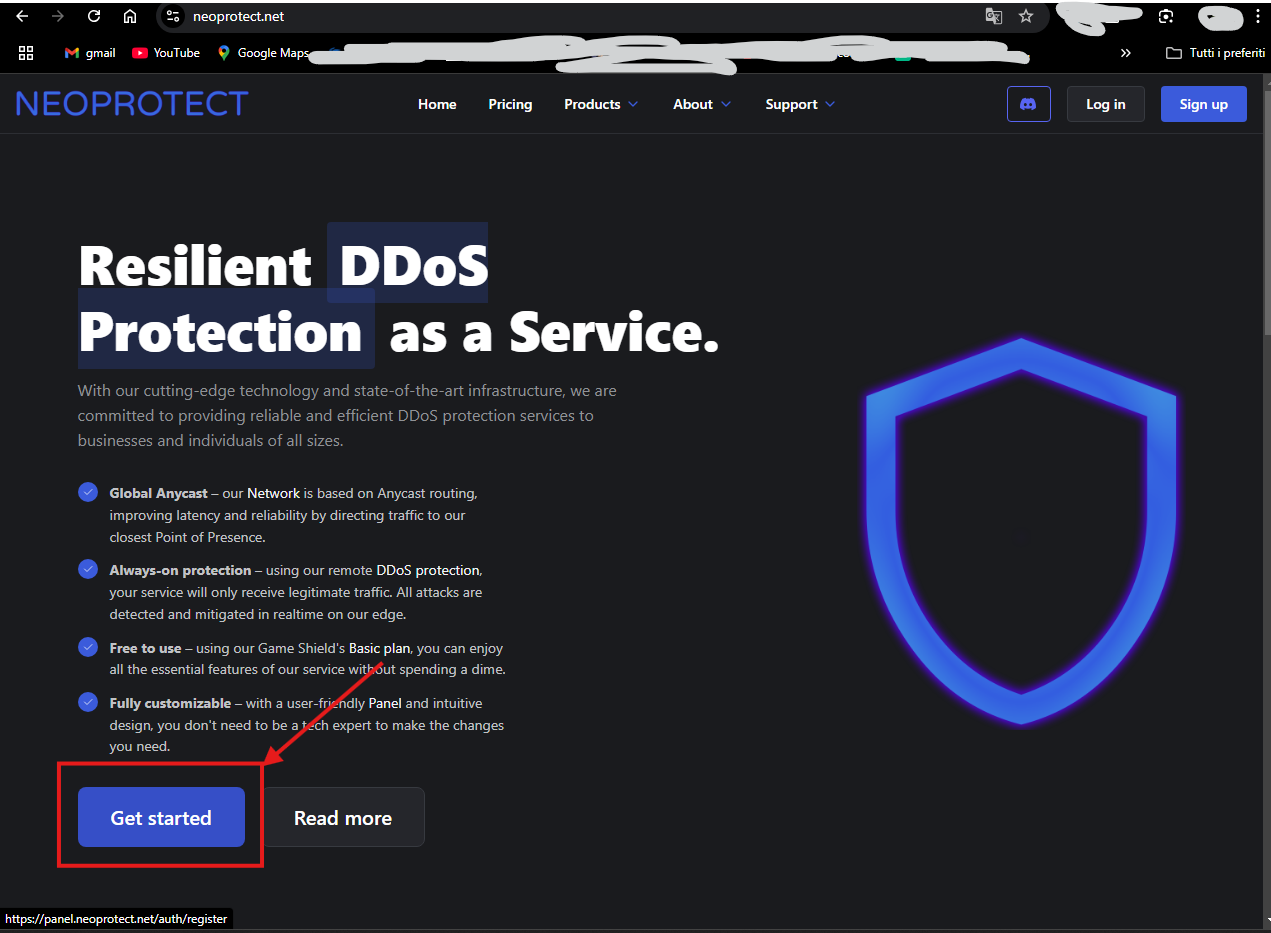
1. **Access the NeoProtect website**
Visit [https://neoprotect.net](https://neoprotect.net/) and click on **Sign Up** to create a new account.
 2. **Fill out the registration form**
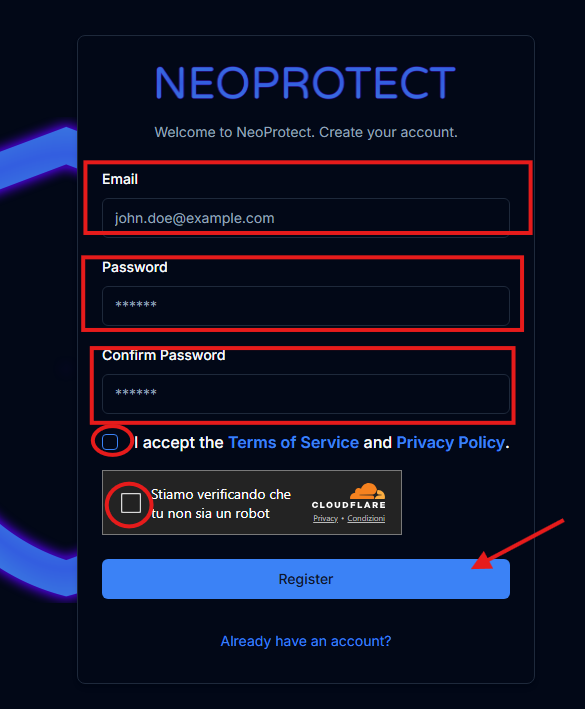
Enter a valid email and create a secure password. Accept the terms of service and click on **Register**.
2. **Fill out the registration form**
Enter a valid email and create a secure password. Accept the terms of service and click on **Register**.
 3. **Confirm email**
Check your email inbox for a confirmation email and click the link provided to activate your account (it might be in spam).
***
## 2. Adding your Minecraft Server
1. **Access the control panel**
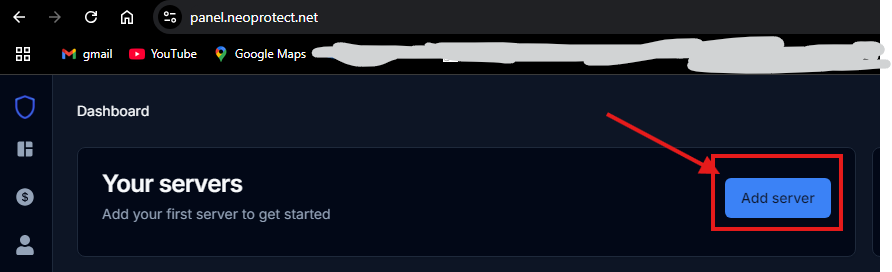
Log in and navigate to the **Server** section.
3. **Confirm email**
Check your email inbox for a confirmation email and click the link provided to activate your account (it might be in spam).
***
## 2. Adding your Minecraft Server
1. **Access the control panel**
Log in and navigate to the **Server** section.
 2. **Create a new server**
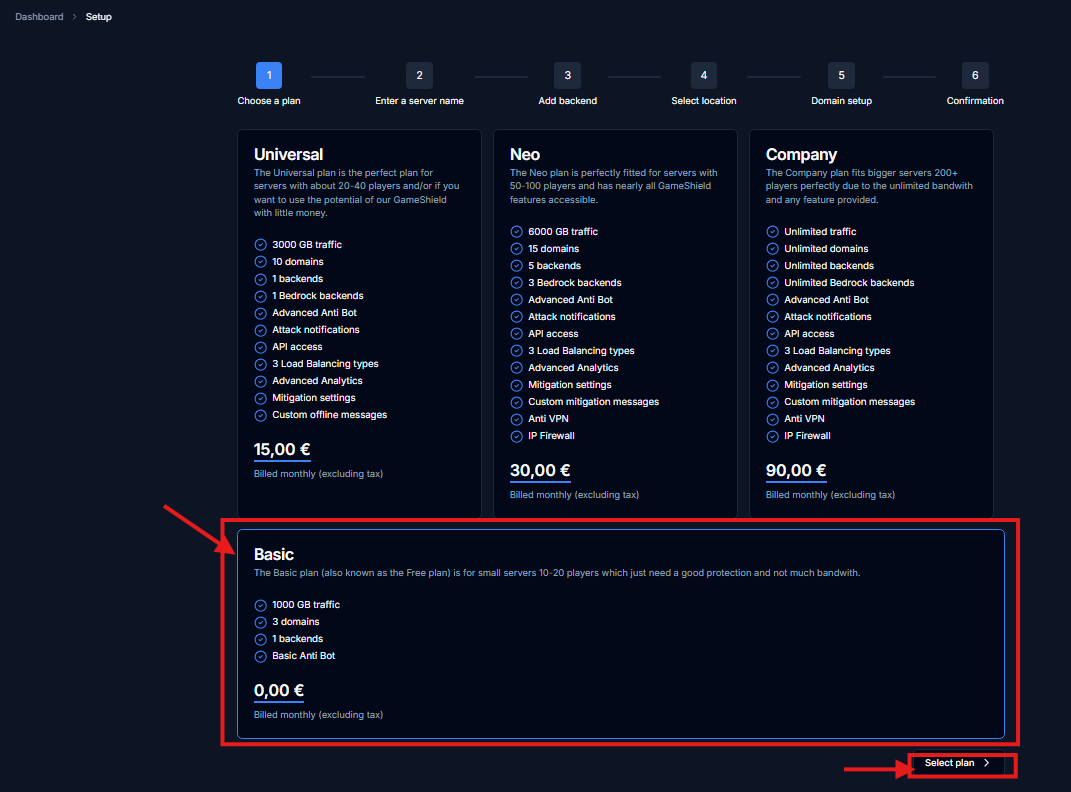
Click on **Create Server** to add your Minecraft server. Assign a name to the server (you can change it later) and specify if it is a single server or a multi-server network like Velocity or BungeeCord.
2. **Create a new server**
Click on **Create Server** to add your Minecraft server. Assign a name to the server (you can change it later) and specify if it is a single server or a multi-server network like Velocity or BungeeCord.
 This is not the official NeoProtect guide, the official one can be found on their official website.
## 3. Verification and Testing
1. **Test the connection to the server**
Start Minecraft and try connecting using the configured domain.
2. **Verify DDoS protection**
NeoProtect will automatically monitor traffic and mitigate any DDoS attacks directed at your server.
Guide created by HighMark - All information and contacts on my [official website: Highmark.it](https://highmark.it)
This is not the official NeoProtect guide, the official one can be found on their official website.
## 3. Verification and Testing
1. **Test the connection to the server**
Start Minecraft and try connecting using the configured domain.
2. **Verify DDoS protection**
NeoProtect will automatically monitor traffic and mitigate any DDoS attacks directed at your server.
Guide created by HighMark - All information and contacts on my [official website: Highmark.it](https://highmark.it)